Screen Recording
Made for Teaching.
Just Hit Record.
Pick a lecture preset, hit record, and focus on teaching. DalVideo handles captions, drawing tools, and editing — so you don't have to.
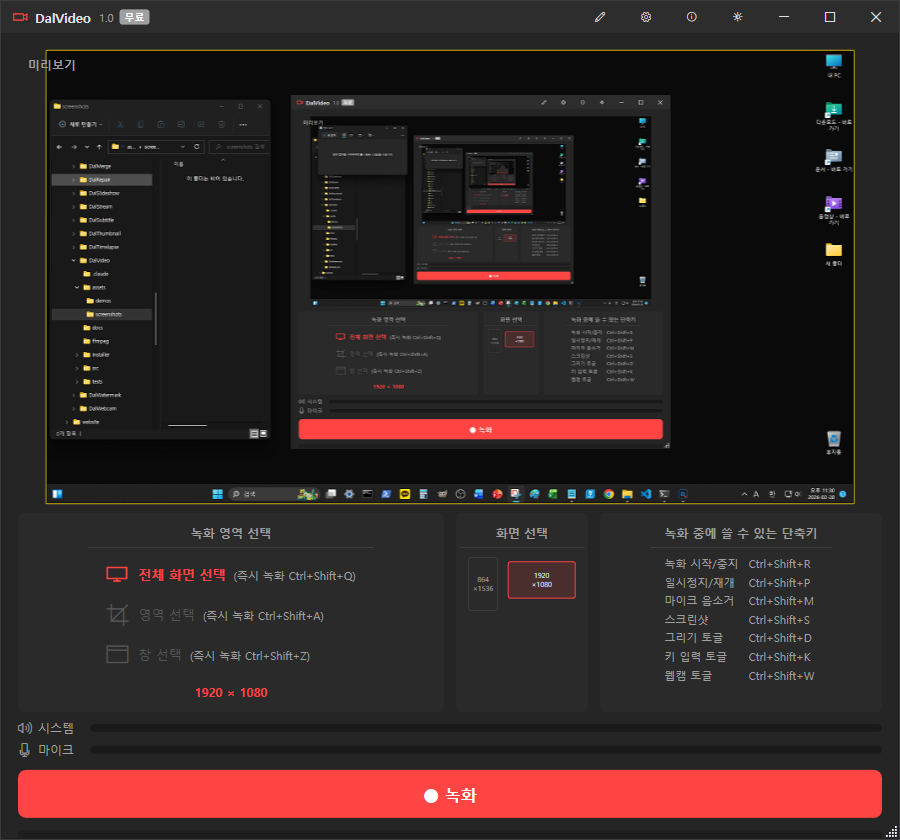
See It in Action
AI-powered screen recording with built-in editor.
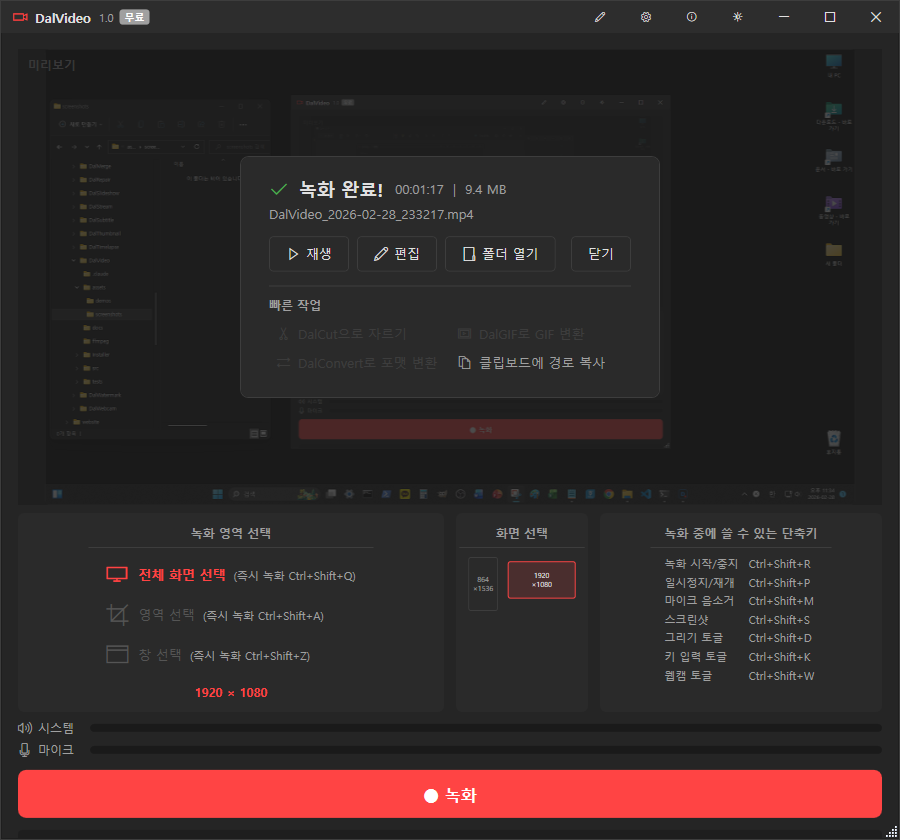
Recording Complete
Instantly play, edit, or open the output folder after recording.
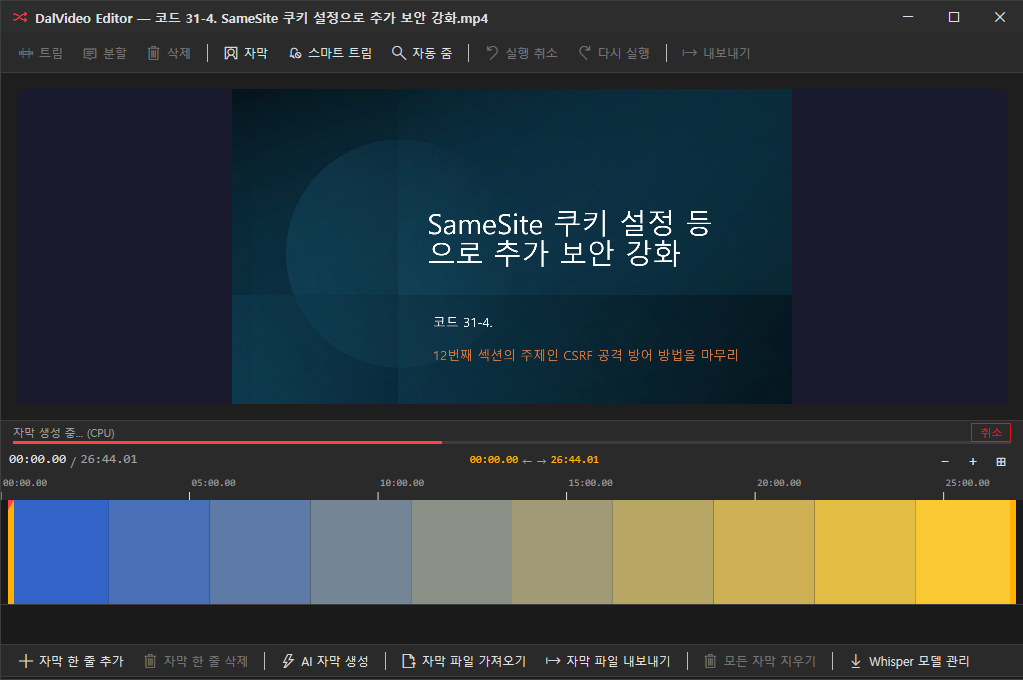
AI Subtitle Generation
Whisper AI generates subtitles automatically. Progress shown in real-time.
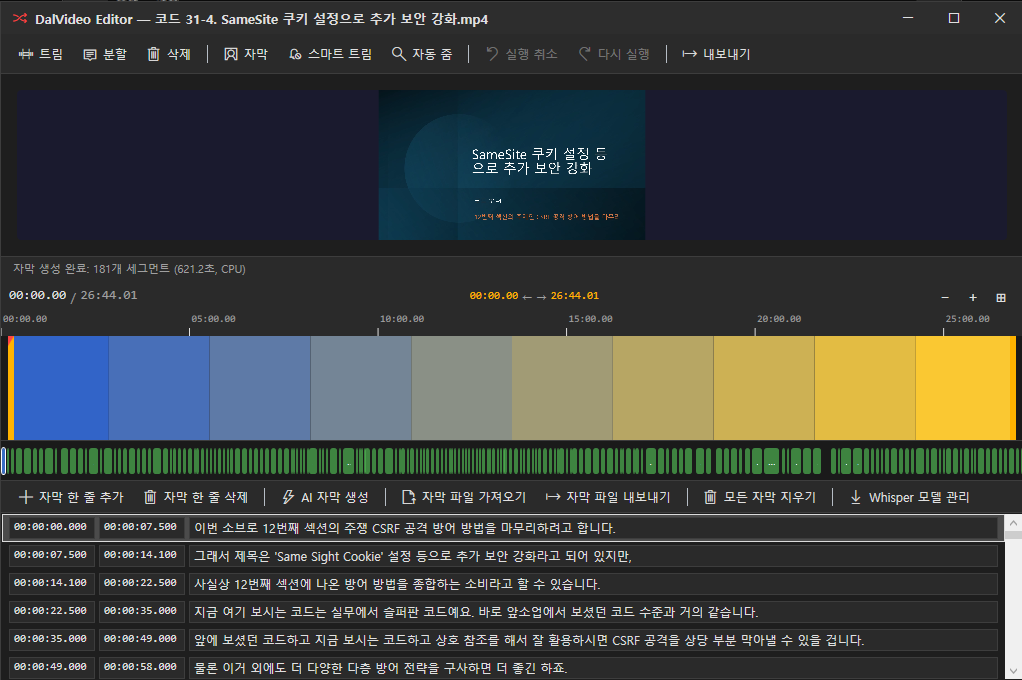
Subtitles Ready
181 segments generated in one pass. Full subtitle list with timestamps.
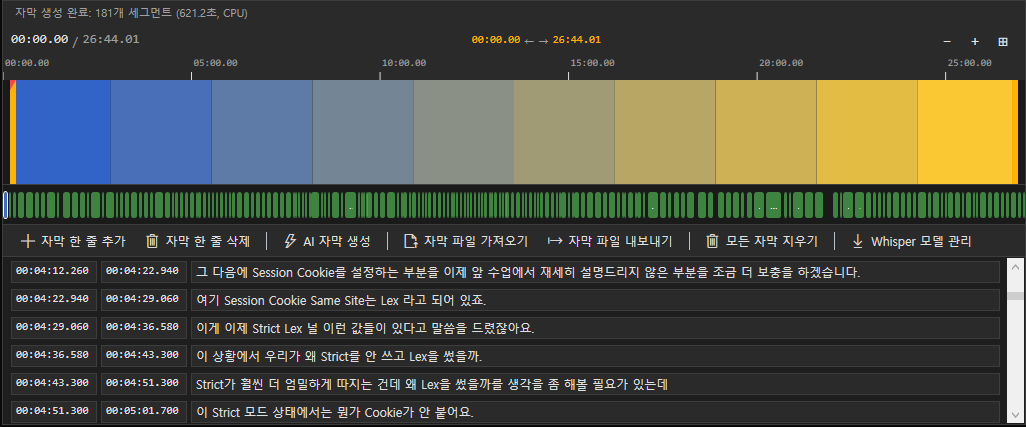
Timeline & Subtitles
Visual timeline with subtitle chips. Navigate and edit at a glance.
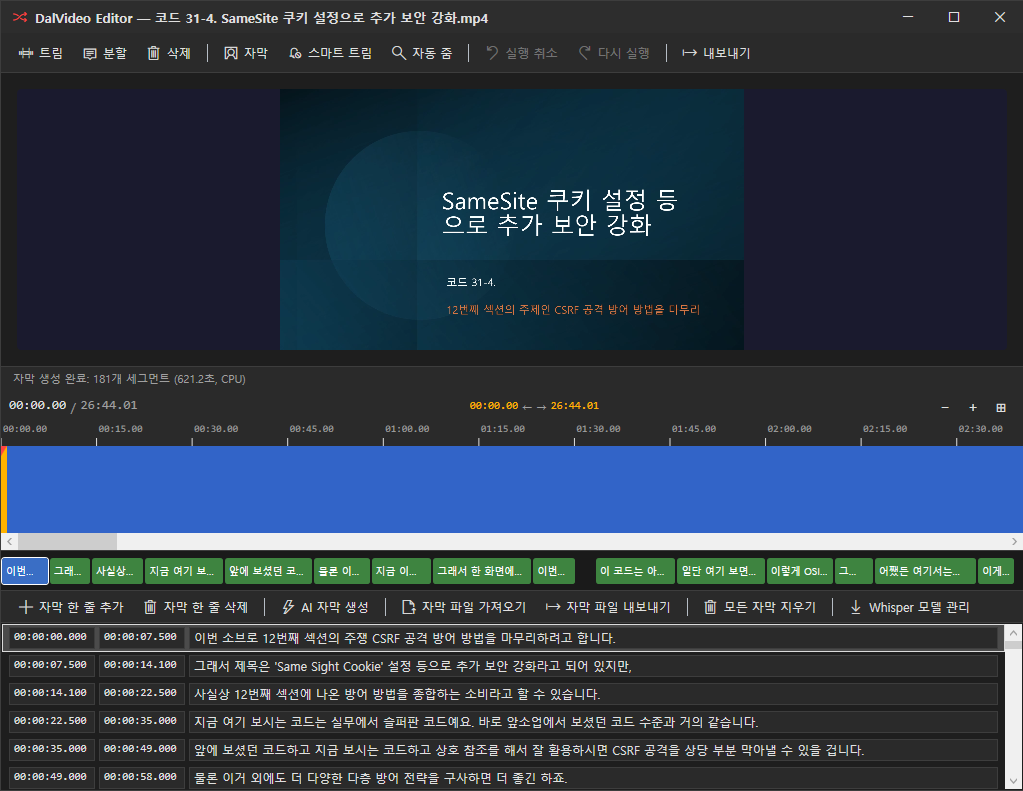
Subtitle Editor
Edit subtitles inline with preview sync. Add, remove, or import subtitle files.
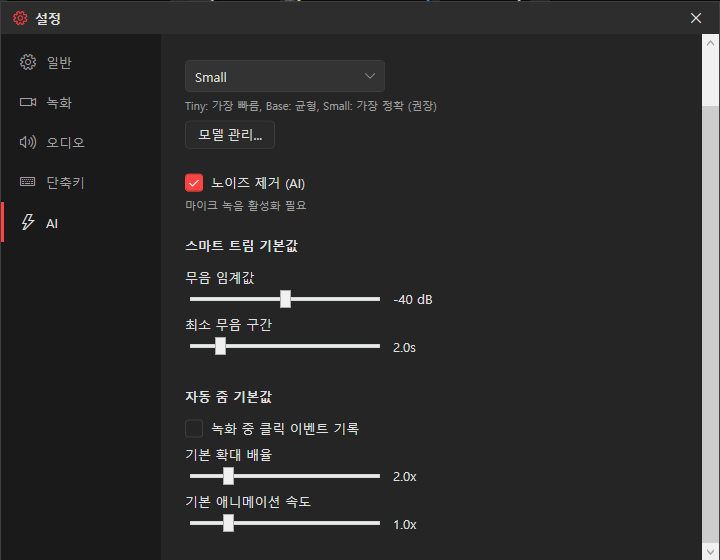
AI Settings
Configure AI noise removal, smart trim thresholds, and auto-zoom behavior.
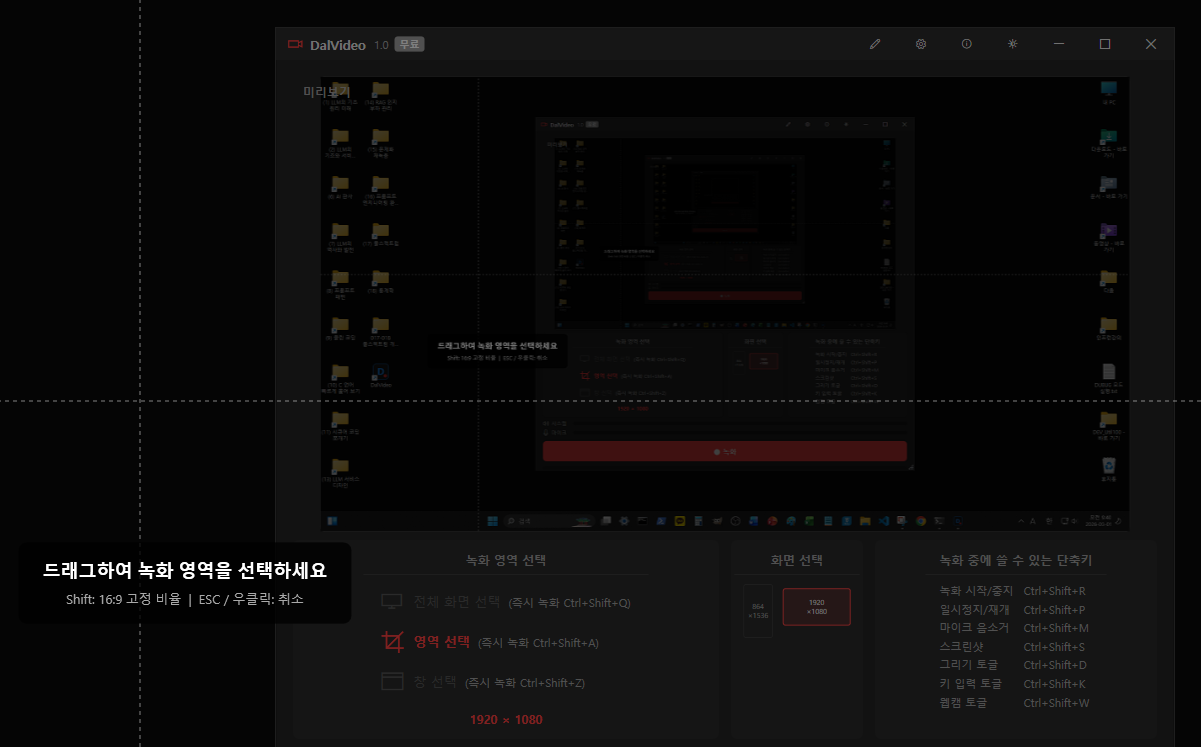
Region Selection
Record full screen, a window, or draw a custom region. Hotkey shortcuts included.
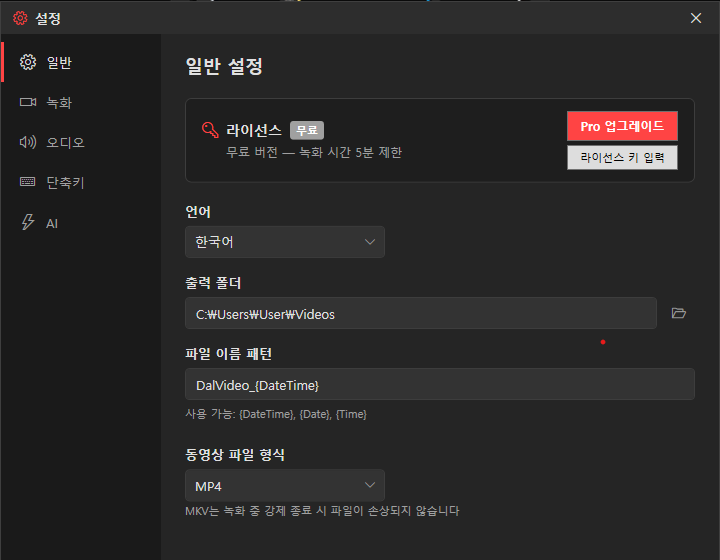
Settings
License management, language, output folder, file naming, and video format.
Everything You Need, Nothing You Don't
Four pillars that make DalVideo different.
AI Captions
Whisper-powered automatic subtitles. Works offline, no cloud upload needed.
Built-in Editor
Trim, cut, and add captions without leaving the app. No extra software required.
One-Click Recording
Hit record and go. No complex setup, no confusing settings panels.
No Artificial Limits
Free version has full features. No watermark, no resolution cap, no codec restrictions.
Simple, Honest Pricing
One-time purchase. No subscription. No hidden fees.
Why DalVideo?
See how we compare to the alternatives.
25% cheaper than Bandicam ($39.95), and no watermark on free version.
Unlike OBS, zero setup required. Plus a built-in video editor.
No monthly subscription like Loom ($12.50/mo). Your data stays local.
90% cheaper than Camtasia ($299.99). Same quality, fraction of the price.
Ready to Record?
Download DalVideo for free. No sign-up, no credit card, no watermark.